You can export search results data from Flexmls to work with the data in a spreadsheet or to share the data outside of Flexmls.
To customize which fields are exported, you can create a custom export template. For more information, see My Exports.
-
Perform a search and view the results.
-
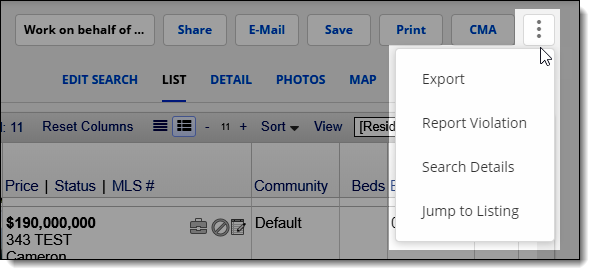
Click theMore(three vertical dots) menu and then clickExport.
-
Select the data to export. You can export all listings from the search results page (Export all matches) or only the listings you selected from the search results (Export selected matches).
-
Select the type of export. By default,Generic Text Exportis selected, which will export all listing data to a .csv (comma-separated values) file. To use a custom export template, selectCustom Text Exportand choose a template from the drop-down list. Other export options will vary depending on your MLS.
-
Enter the verification code exactly as displayed.
-
ClickExport.
-
The file will be downloaded automatically. To download listing photos, click the link at the bottom of the page.