To search for listings by address, click Address Search under Search on the menu.
Enter search criteria in at least one field. Note that the more search criteria you enter, the narrower your set of results will be. We recommend beginning with a wide search and then adding search criteria as needed.
You can search for a range of house numbers or a specific house number. If you are not sure of the exact name or spelling for the street, use the Begins with, Contains, or Ends with options to refine your search. For example, if you select Street Name Begins with North, your results will include streets such as North Terrace, Northwood, and Northstar.
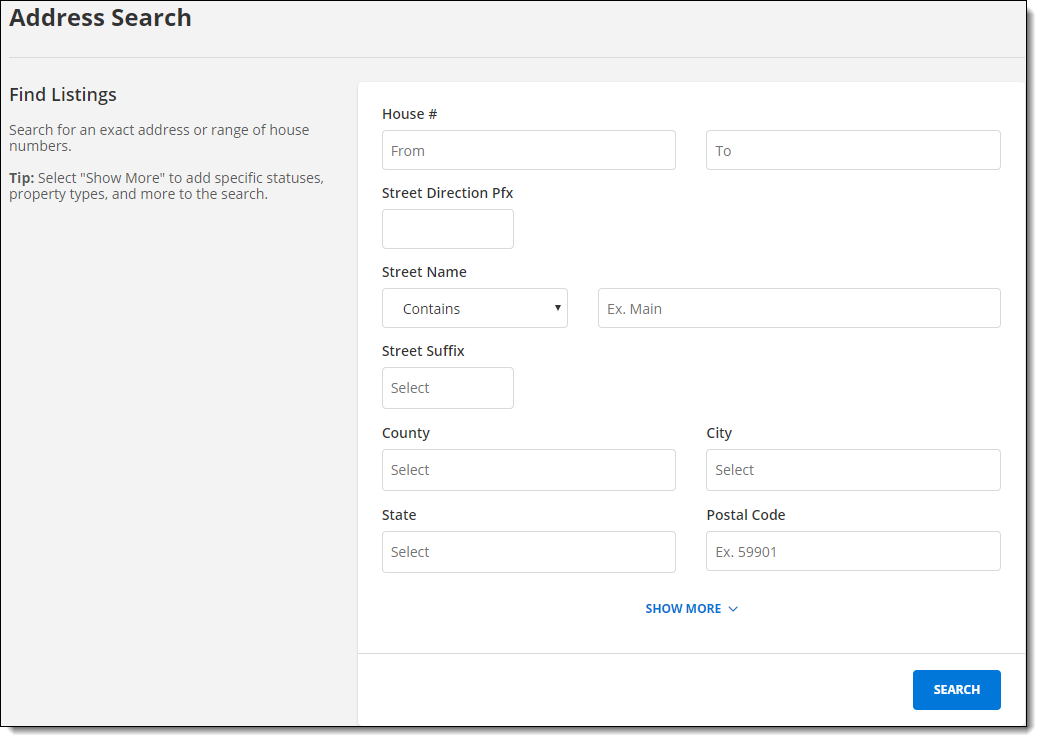
Click Show More to search by additional attributes, such as status and property type. Enter a status change date range by typing the date or by using the pop-up calendar.
Click Search to run the search and view the search results page.